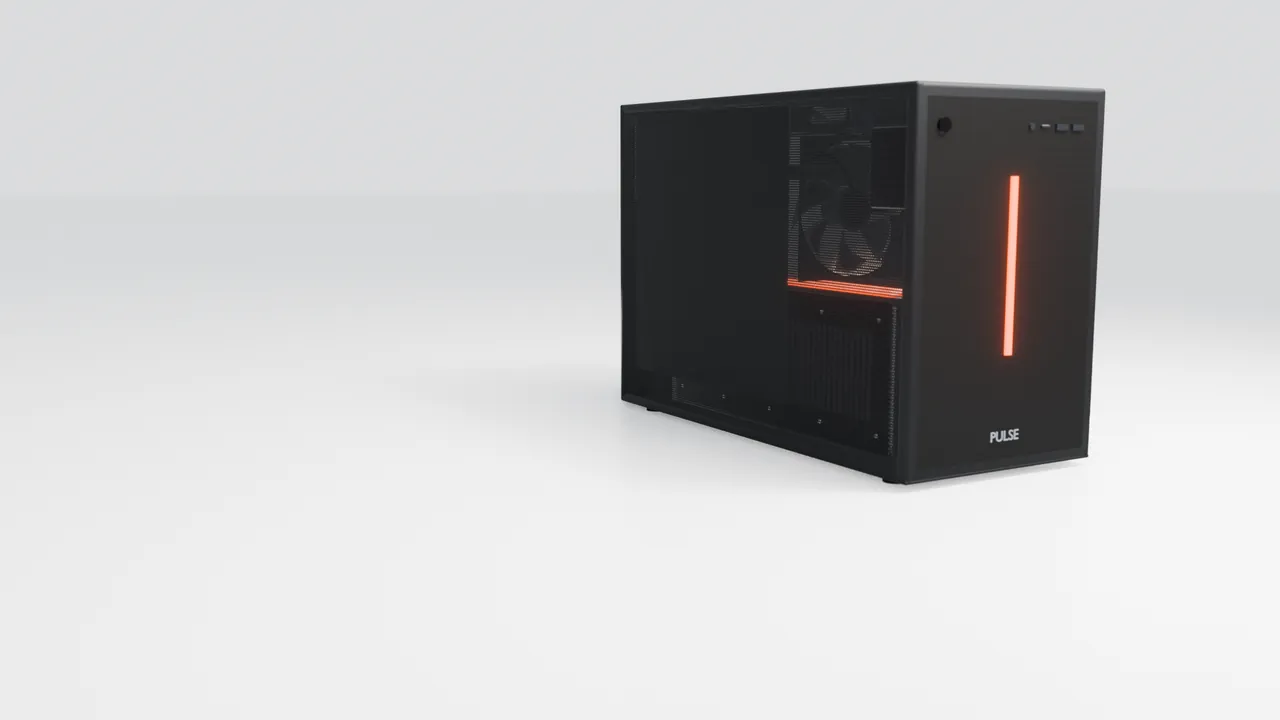
In development. Early consultations are open.
An AI employee that works from your office.
We build the system, teach AI to run it, and put it on a box in your office. It handles your marketing, enquiries and admin, and asks you before anything goes out.
- The whole employee, on a shelf
- 21.3litres
- Graphics memory, on your premises
- 32GB
- 9 ready to start, and new ones built for you
- ∞jobs

The case
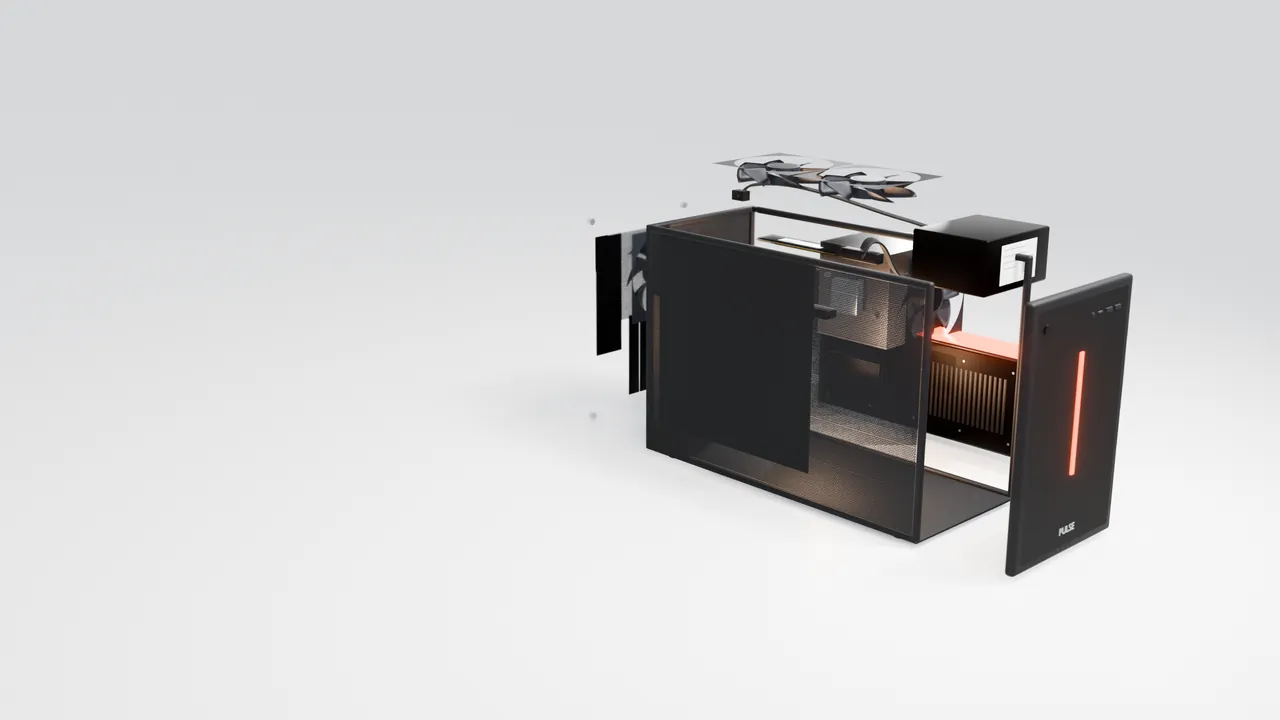
Steel, mesh, and 21.3 litres.
A compact steel frame with mesh panels that lift off by hand. Small enough for a cupboard, open enough to breathe.
- litres
- 21.3
- mm fans
- 3 × 120
- and mesh
- Steel

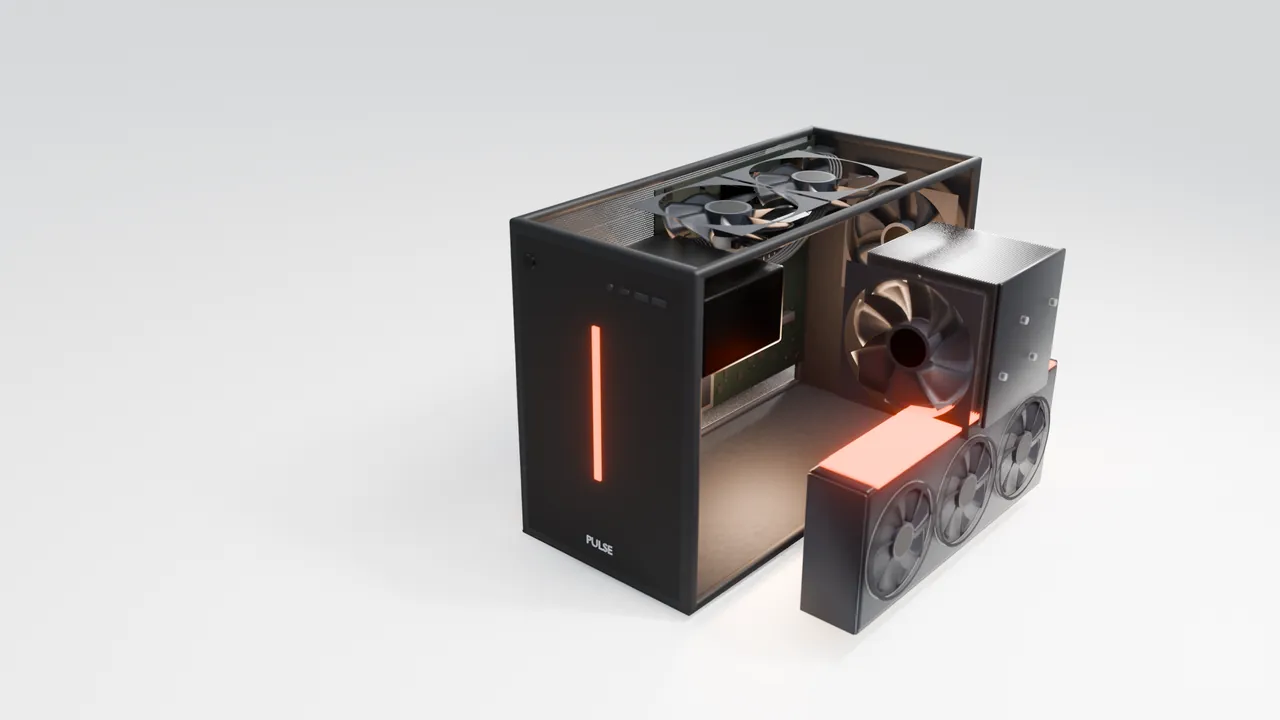
The AI · Graphics card
This is where it thinks.
Its own AI runs on this card: reading, writing, sorting and answering, in your building rather than a data centre. More graphics memory runs a larger, sharper model.
Graphics memory · by size
- Small
- 16GBe.g. Radeon RX 9060 XT
- Standard
- 32GBe.g. Radeon AI PRO R9700
- Large
- 32GBe.g. Radeon AI PRO R9700
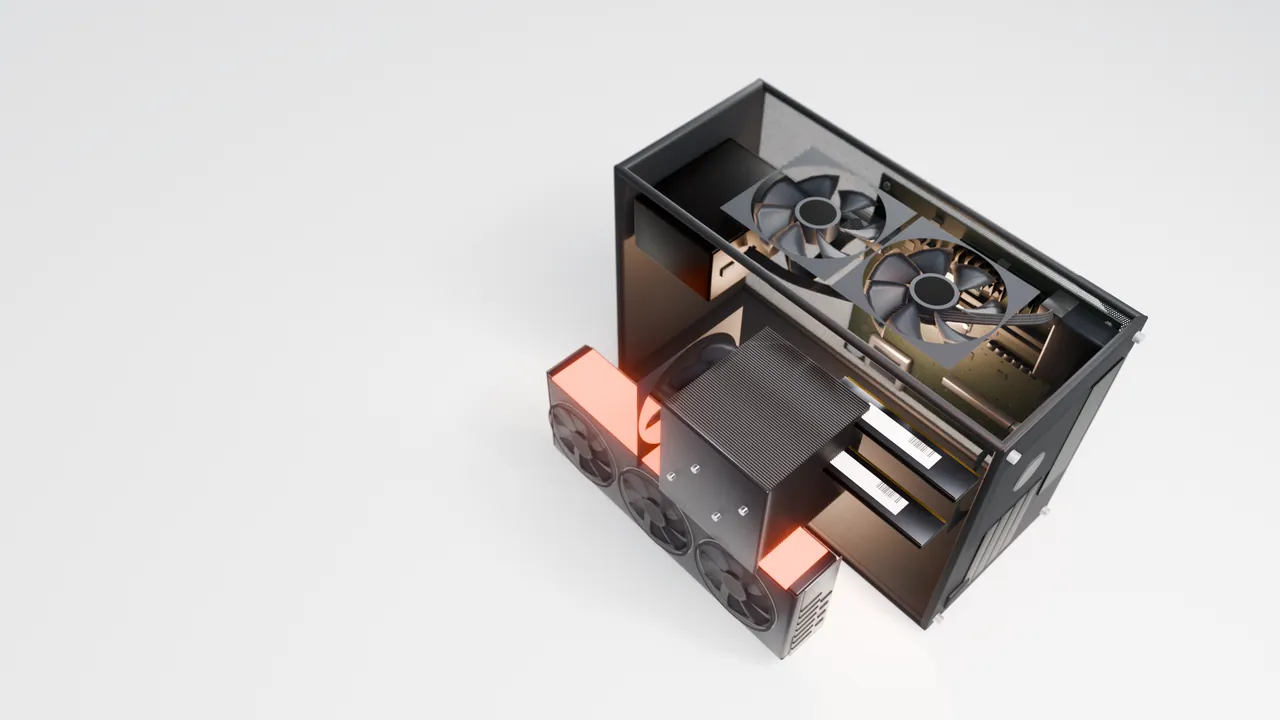
The conductor · Processor
It keeps every job moving.
While the graphics card thinks, the processor runs everything around it: the inbox, the diary, the posts waiting to go out, the nightly backup. More cores, more at once.
Processor cores · by size
- Small
- 6corese.g. Ryzen 5 9600X
- Standard
- 8corese.g. Ryzen 7 9700X
- Large
- 16corese.g. Ryzen 9 9950X
The memory · RAM and storage
What it knows stays in your building.
Customers, emails and documents live on its own drives, and backups are encrypted before they leave.
Memory · by size
- Small
- 32GB3TB storage
- Standard
- 64GB6TB storage
- Large
- 128GB10TB storage
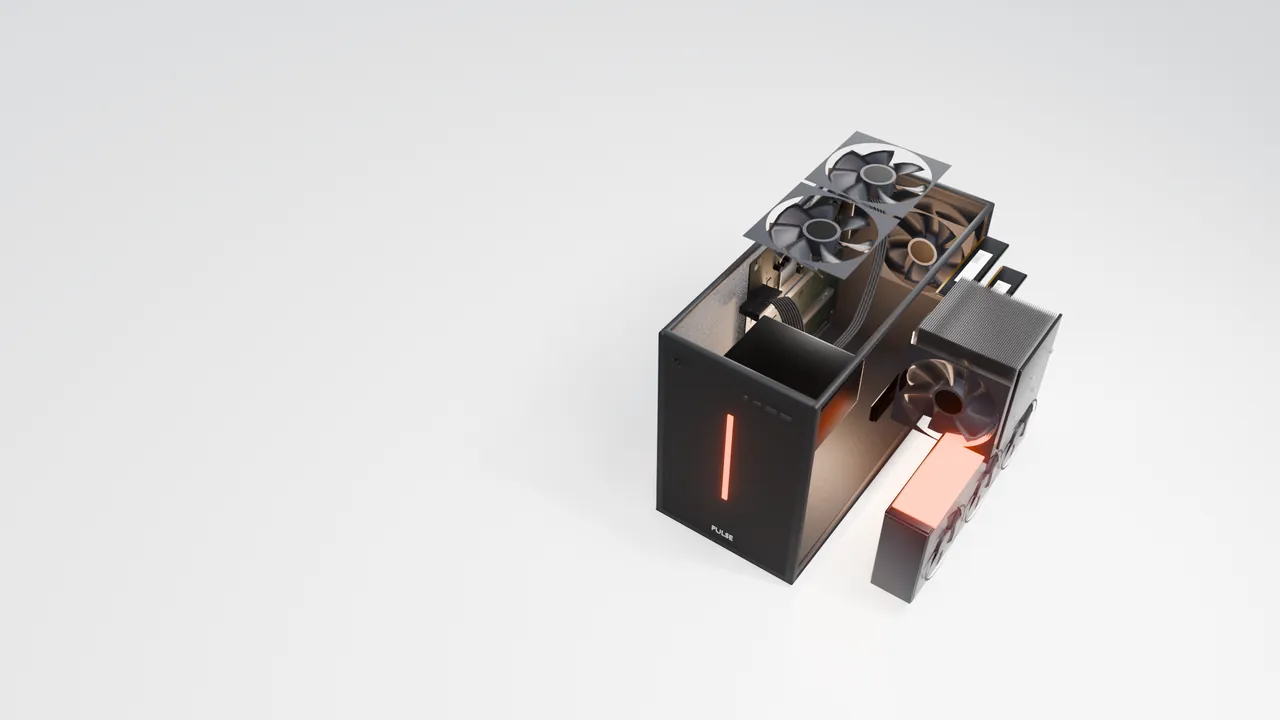
The air · Cooling
No server room needed.
Two 120mm fans in the roof and one at the back pull air straight through the mesh, so it can live where your team works.
- fans
- 3
- mm each
- 120
- server rooms
- 0
The safeguards
Nothing in here you can’t account for.
Updates arrive signed by us, and the box checks them before installing. We only connect for support when you say yes, and every session is logged.
- updates
- Signed
- disk
- Encrypted
- support
- Logged

Its first day
Ready to start.
Give it jobs in plain words from your phone or the office PC. Anything a customer will see waits for your tap.
Request a consultation
Shown: a concept of the inside. Exact parts are confirmed in your quote.
One box. Any job.
Your say on what goes out.
How it works
We build the system. We teach the AI to use it.
01
The system
We build the system.
Every job your business does, made into a tool the AI can use: posting to your socials, answering enquiries, sending invoices, watching your Google rankings. We run our own business on it first.
02
The training
Then we teach the AI to use it.
Each tool comes with its instructions and its rules: what the AI may do on its own, and what has to wait for your yes. It works from your own records, on its own graphics card.
03
The move
It moves into your office.
The box sits on a shelf in your building. Your phone and computers are windows onto it, and each person sees only what their role allows.
04
The updates
Updates are pulled, never pushed.
Your box checks in and fetches new versions when they’re ready. Every update is signed by us and checked by the box before it installs. If we’re ever offline, it carries on.
05
New roles
Need another role? Order it.
Ask in the app. We build it for your business, sign it and send it to your box, and only yours. You approve what it can touch before it starts.
06
What we see
Only its health comes back.
We see whether your box is running, its version and its free space, so we spot problems before you do. Never your customers, your emails or your files.
The app
Talk to it from any device.
Install the app on your phone, tablet or computer and it connects to your box, wherever you are. No training, no menus to learn: tell it what you want, the way you’d tell a colleague.
- iPhone
- Android
- iPad
- Windows
- Mac
- Linux
- Ask in plain words. Type it, or say it out loud.
- It does the work. On the box in your office, not in someone else’s cloud.
- You tap yes. Anything a customer will see waits for your approval.
Post the photos from the Hendersons’ kitchen to Facebook and Instagram.
Done as two drafts, one for each. I’ve picked the three best photos and tagged the area.
Posted to both. I’ll tell you on Friday how they did.
Who still owes us money?
Two invoices are over 30 days: £640 from Marsh & Co and £1,200 from Kestrel Builders.
Sent to both. I’ll let you know the moment either one pays.
What’s on tomorrow?
Three jobs from 8:30, the Patel quote at 2pm, and the van’s MOT at 4. Shall I text the Patels to confirm?
Start with these. Then teach it anything.
Begin with the work that takes most of your team’s week. If the job you need isn’t here, ask in the app: we build it for your business and send it to your box.
Getting customers
- Social media managerPlans, writes and posts from your photos, and makes short videos.
- SEO specialistWatches your Google rankings, fixes what it can and drafts articles.
- Reviews and repliesDrafts replies to comments and messages, and keeps your Google profile current.
Looking after customers
- ReceptionistAnswers calls and messages, takes enquiries and books appointments.
- Note-takerRecords and transcribes meetings, then files the actions as tasks.
- Account managerGives your own clients a page to approve work and send files.
Running the business
- Shop assistantAdds products from a photo, tracks stock and keeps customer records.
- BookkeeperSends invoices, chases payments and sums up each month.
- Sales researcherFinds new local businesses and public tenders worth a look.
Three sizes, built for the work you do
- Small
- 16GB graphics card, 32GB memory, 3TB storage. The everyday jobs and short videos.e.g. Radeon RX 9060 XT · e.g. Ryzen 5 9600X, 6 cores
- Standard
- 32GB graphics card, 64GB memory, 6TB storage. Every job, including full video and the larger AI models.e.g. Radeon AI PRO R9700 · e.g. Ryzen 7 9700X, 8 cores
- Large
- 32GB graphics card, 128GB memory, 10TB storage. Several people at once and heavy video work.e.g. Radeon AI PRO R9700 · e.g. Ryzen 9 9950X, 16 cores
Parts named are examples. We fit the best available when your box is built, and confirm the exact parts in your quote.
A briefing before your first meeting
Each person gets their own, written from what is actually in the diary, the inbox and the accounts. It never invents a figure: if something is not in your systems, it is not in the briefing.
Security
Your business stays in your building.
Most AI tools work by sending your information to someone else’s servers. Pulse Box works the other way round: the AI comes to your data, not your data to the AI.
Stays on the box
- Customer records and contacts
- Emails and messages
- Documents, photos and files
- Your conversations with the AI
- Your accounts and invoices
Leaves only when it has to
- A post or email you approved, straight to where it’s going
- Backups, encrypted with a key only you hold. We can’t open them.
- A health check-in: is it running, which version, how much space
- Updates only ever come in, and are checked before they install
- Encrypted
- The box’s disk, and every backup before it leaves.
- Your key
- Only you can restore your backups. Not us, not anyone.
- Your yes
- Nothing a customer will see goes out until you approve it.
And the rest of the safeguards
Most AI tools send your information to someone else’s servers. Pulse Box keeps it on a machine in your building, under your control.
- On your premises
- Client records, email and documents are stored and processed on the box.
- Encrypted throughout
- The disk is encrypted, and backups are encrypted before they leave the building.
- Every action recorded
- An audit log of what was done, by whom, and who approved it.
- Approval by role
- You decide who can approve payments, posts and replies.
- Support only by invitation
- We connect only when you allow it, for a set time, and every session is logged.
- Cyber Essentials
- We are working towards certification, and the box is built to its requirements.
Request a consultation
Tell us about your business. We'll arrange a conversation, then come back with a fixed proposal and a time to see a box running.
Consultation
We learn how your business runs and where your team’s time goes.
Proposal
A fixed price for the box and the roles you need. Buy it outright or spread it monthly.
Installation
We install the box, connect your accounts with you and train your team.
Ongoing care
Updates, monitoring and support, with a named contact at Dalton Digital.
Questions people ask
Does my data leave the building?
Your customers, emails, files and chats live on the box. The everyday AI runs on it too. Things only leave when they have to: a post going to Facebook, an email going to a customer, a backup we can’t read because it’s encrypted before it leaves.
What if the internet goes down?
The box carries on with anything that doesn’t need the internet, and sends what’s waiting once it’s back. Enquiries from your website are held and delivered when the box is reachable again.
Do I need any other AI subscriptions?
No. The box has its own AI, running on its own graphics card, so there is nothing else to sign up to for the everyday work.
Who sets it up?
We do. We bring the box, connect your accounts with you, and leave it working. The first conversation with it takes about twenty minutes.
What happens if I stop paying?
You can always get your data out. A box you bought stays yours but stops getting updates and new jobs. A box on monthly payments comes back to us.
Is it Cyber Essentials certified?
Not yet. We’re working towards Cyber Essentials, and the box is built to its requirements.